Dynamically Added Meta Data Indexed by Google Crawlers

Quick history. On May 23, 2014, the following announcement was made on the Google Webmaster Central Blog:

In order to solve this problem, we decided to try to understand pages by executing JavaScript. It's hard to do that at the scale of the current web, but we decided that it's worth it. We have been gradually improving how we do this for some time. In the past few months, our indexing system has been rendering a substantial number of web pages more like an average user's browser with JavaScript turned on.

Read the full announcement here.

Read More…
Dynamically Added Meta Data Indexed by Google Crawlers

Quick history. On May 23, 2014, the following announcement was made on the Google Webmaster Central Blog:

In order to solve this problem, we decided to try to understand pages by executing JavaScript. It's hard to do that at the scale of the current web, but we decided that it's worth it. We have been gradually improving how we do this for some time. In the past few months, our indexing system has been rendering a substantial number of web pages more like an average user's browser with JavaScript turned on.

Read the full announcement here.

Read More…
Track Non-JavaScript Visits in Google Analytics

One of the big mysteries in browser-based data collection platforms like Google Analytics is what happens when the visitor is not being tracked. This is most obvious in cases where the user explicitly opts out of tracking, when the user does not have JavaScript active in their browser, in bounced sessions, and on exit pages.

Opt-outing means that the user explicitly prohibits a website from tracking them. In some cases, it’s possible that opt-out is the default, and the user must explicitly opt-in to allow GA to record their visits. In this article, I will of course not give you ideas how to circumvent this, as you must respect the user’s wishes.

Read More…

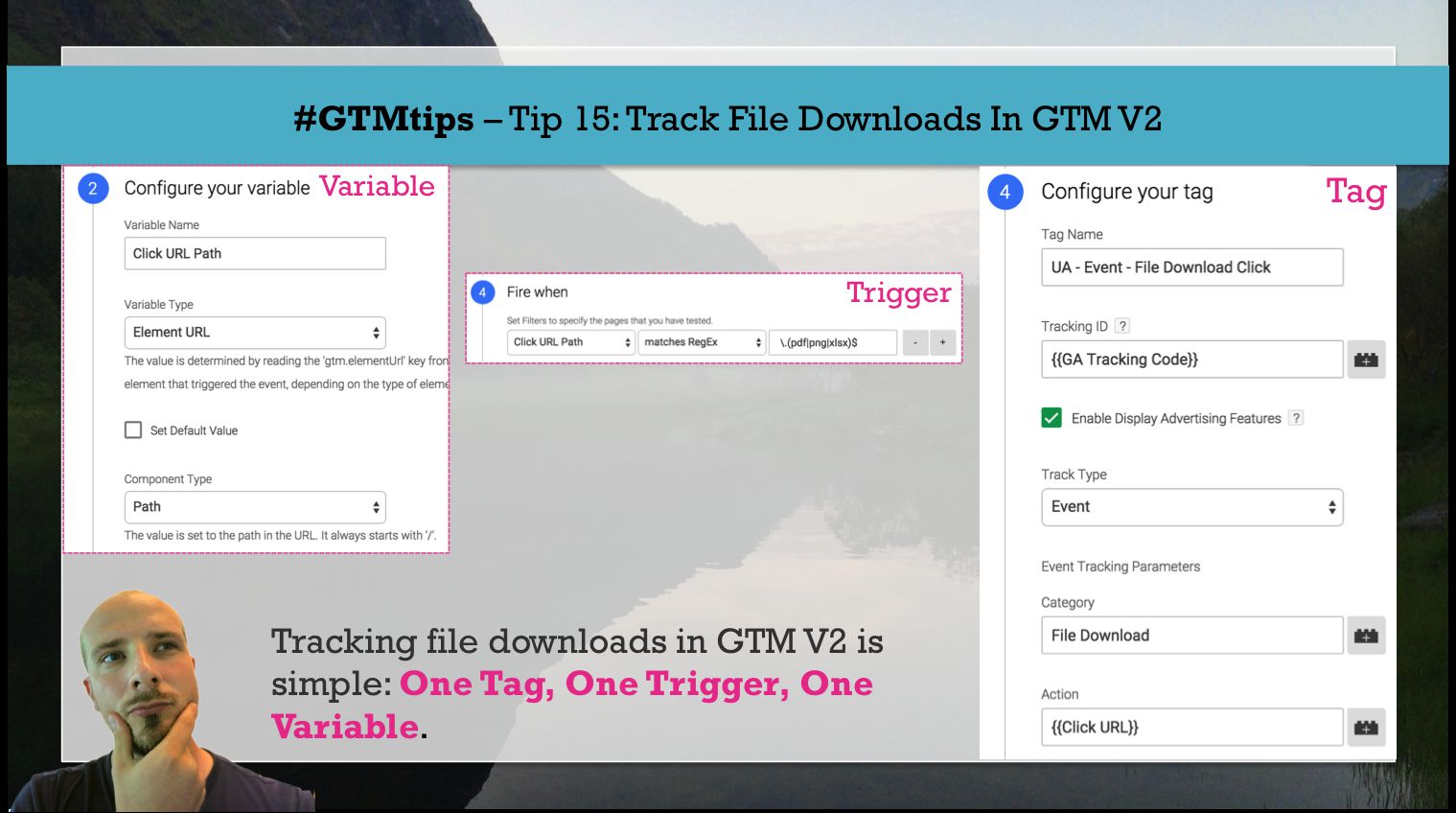
#GTMtips: Track File Downloads in GTM V2

In this #GTMtips post, we’ll go over a simple method for tracking file downloads in Google Tag Manager, specifically the new, V2 interface. Also, “tracking file downloads” means sending Events to Google Analytics, so this is a GA for GTM guide as well.

Tip 15: Set up file download tracking in GTM

Since we’re using Google Analytics as the tracking platform, we’ll need the following ingredients to make this setup work:

Read More…

#GTMtips: Track Outbound Links in GTM V2

NOTE 30 Oct 2019: I’ve published a new article on outbound link tracking in Google Tag Manager, which makes the whole process much, MUCH simpler. I strongly recommend you read that article instead.

Tracking outbound links is important for many. Identifying the exit paths is almost as important as tracking entrances. In this simple #GTMtips post, I’ll show you how to track outbound links with a simple Trigger + Auto-Event Variable combination in the new Google Tag Manager interface.

Read More…

RELEASE: GTM Tools V2.0

(UPDATE 3 Apr 2017: There is a newer version of GTM Tools out, so please ignore this article and read this one instead.)

So, the time has come to update my GTM Tools. I released the first toolset in October 2014, and it performed its duties just well enough. Sure, the UI was ugly as hell, and there were bugs along the way, but for cloning containers, macros, and rules, and for visualizing containers, it was just good enough.

Read More…

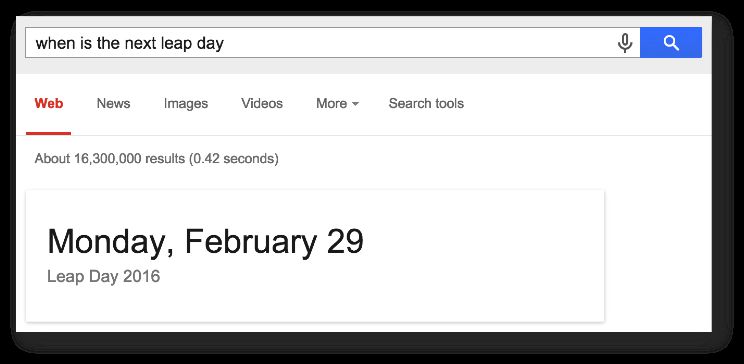
Enrich SERP Results Using GTM

Google has a myriad of ways to make the search engine results page (SERP) livelier. When you input a search query, the engine’s mission is to provide you with the most relevant information with as few clicks as possible. Often, this means that you’ll see the answer to your query directly in the SERP:

See also Dr. Pete’s excellent description of variation in the SERP (note that this post is from 2013, and not all the data types are relevant today). As you can see, there are many ways for a site to annotate data found within, and that way provide it for Google to utilize if it so chooses. There’s no guarantee that your structured data is picked up by the search engine, but that shouldn’t deter you from marking up your content anyway.

Read More…

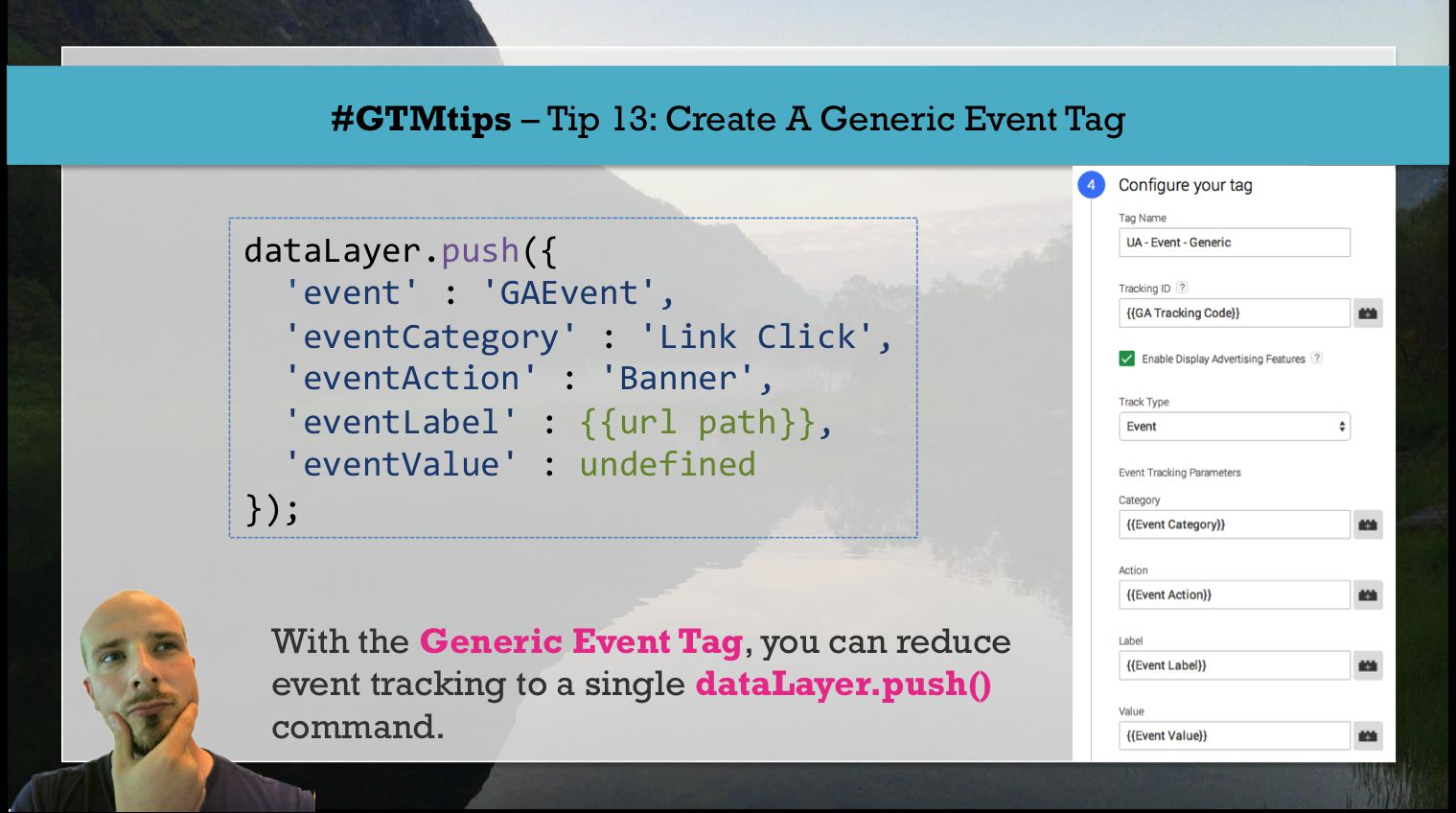
#GTMtips: Create a Generic Event Tag

With Google Tag Manager, there are a million different ways to make your tagging setup leaner and more flexible. The reason this should be a priority is because the UI isn’t perfect. The more tags you have, the more difficult it becomes to manage your assets.

In this #GTMtips post, I show you one of my favorite ways to put your container on a diet.

Tip 13: How to create a Generic Event Tag

I’ve seen a lot of containers that suffer from the same problem. They have many Event tags which only differ by the Event that triggers them and/or by the tag fields of Event Category / Action / Label / Value. There’s an easy way to reduce redundancy here. It’s the Generic Event Tag (you guessed it!).

Read More…

#GTMTips: Add Konami Code to Your Site

You’ve probably heard of the Konami Code. It’s a cheat code in many Konami games, where the cheat is executed with a sequence of key presses on the keyboard. Since then, it’s become one of the staples of video game folk lore, and many websites, games, and applications have their own easter eggs activated with the Konami code.

The sequence of keys is:

up, up, down, down, left, right, left, right, B, A

Read More…

Variable Guide for Google Tag Manager

(Updated 21 February 2019)

The current version of Google Tag Manager was released in October 2014. With the release, we saw a brand-spanking new UI, a lot of new functionalities (revamped auto-event tracking, for example), plus a new terminology to cope with. We moved away from the programming-centric concepts of Macros and Rules to the more tactile variables and triggers.

It’s difficult to rank the changes. The new Auto-Event Tracking is perhaps most impactful, but the improvements done to triggers and variables, when compared to the previous version of GTM, require attention as well.

Read More…

Track Content With Enhanced Ecommerce

My fingers have been tingling to write this article. Ever since I implemented Enhanced Ecommerce on my blog a couple of weeks ago, I’ve been getting such an impressive amount of useful data that it’s mind-boggling.

In this article, I’ll walk you through the steps I went to implement the solution, along with examples of the data I can now access through Google Analytics’ reporting interface. As you might have guessed, if you’ve read my articles before, I implemented Enhanced Ecommerce with Google Tag Manager. Note, this is not a step-by-step guide, but should rather provide inspiration for you to think out-of-the-box when it comes to Google Analytics’ features.

Read More…